
This article outlines known issues and workarounds related to the new Windows MIDI Service update.Microsoft is gradually rolling out a new Windows MIDI Service through Windows updates. While this update introduces improvements to MIDI functionality, it is currently causing issues across ROLI products and other MIDI-based software.
How users may experience these issues:
- Midi inputs may not be present in standalone apps or DAWs. Restart these for them to be visible.
- ROLI Airwave Service may not appear as a midi input in ROLI Airwave Player or DAW. Follow the ROLI Airwave Player workaround to fix this.
- Air Gestures not visible / audible in ROLI Airwave Player but hands do appear. Follow the ROLI Airwave Player workaround to fix this.
- Midi device may not appear as a selectable device during calibration in ROLI Airwave Player. Follow ROLI Airwave Player workaround to fix this.
- Device doesn't appear in ROLI Dashboard. Restart ROLI Hardware Driver service and Dashboard for these to appear.
- Device doesn't appear for registration in ROLI Connect. Restart the ROLI Hardware Driver service for these to appear.
Recommended Workarounds
Non-Airwave Plugins / ROLI Dashboard
- Close your app or DAW.
- Connect MIDI inputs to your computer.
- Restart RHD (ROLI Hardware Driver).
- Reopen your app or DAW.
ROLI Connect
- Connect MIDI inputs to your computer.
- Restart RHD (ROLI Hardware Driver).
ROLI Airwave Player
1. Make sure you have updated to the latest version of ROLI Airwave Control and ROLI Airwave Player (v1.3.2).
2. Open the ROLI Airwave Control app and follow the on-screen prompts to troubleshoot your connection.
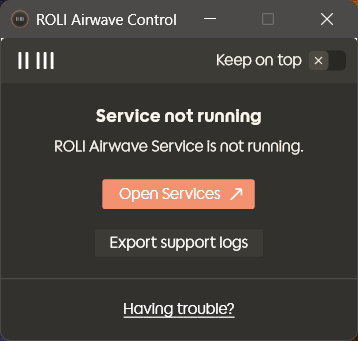
Prompt to open Service control panel
- If the service is not running, click on Open Services button.
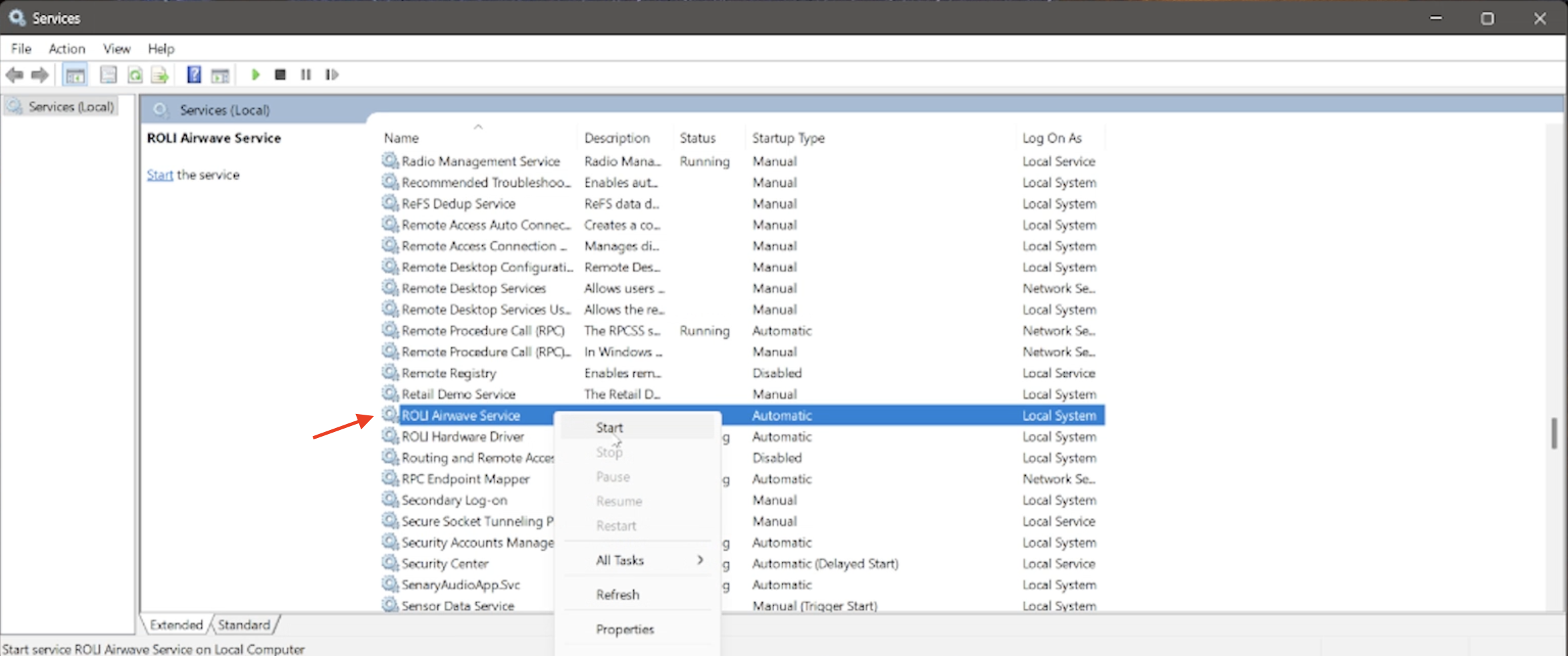
This will open the Services window. Locate ROLI Airwave Service, right-click on it, and select Start.
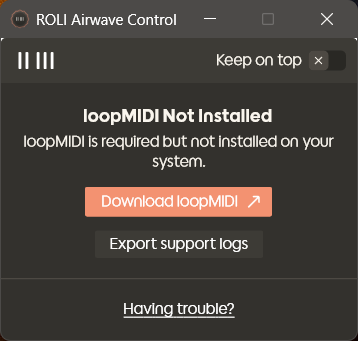
Prompt to download loopMidi
- If the loopMIDI app is not installed on your computer, click on Download loopMIDI button.
You will then be taken to the loopMIDI download page.
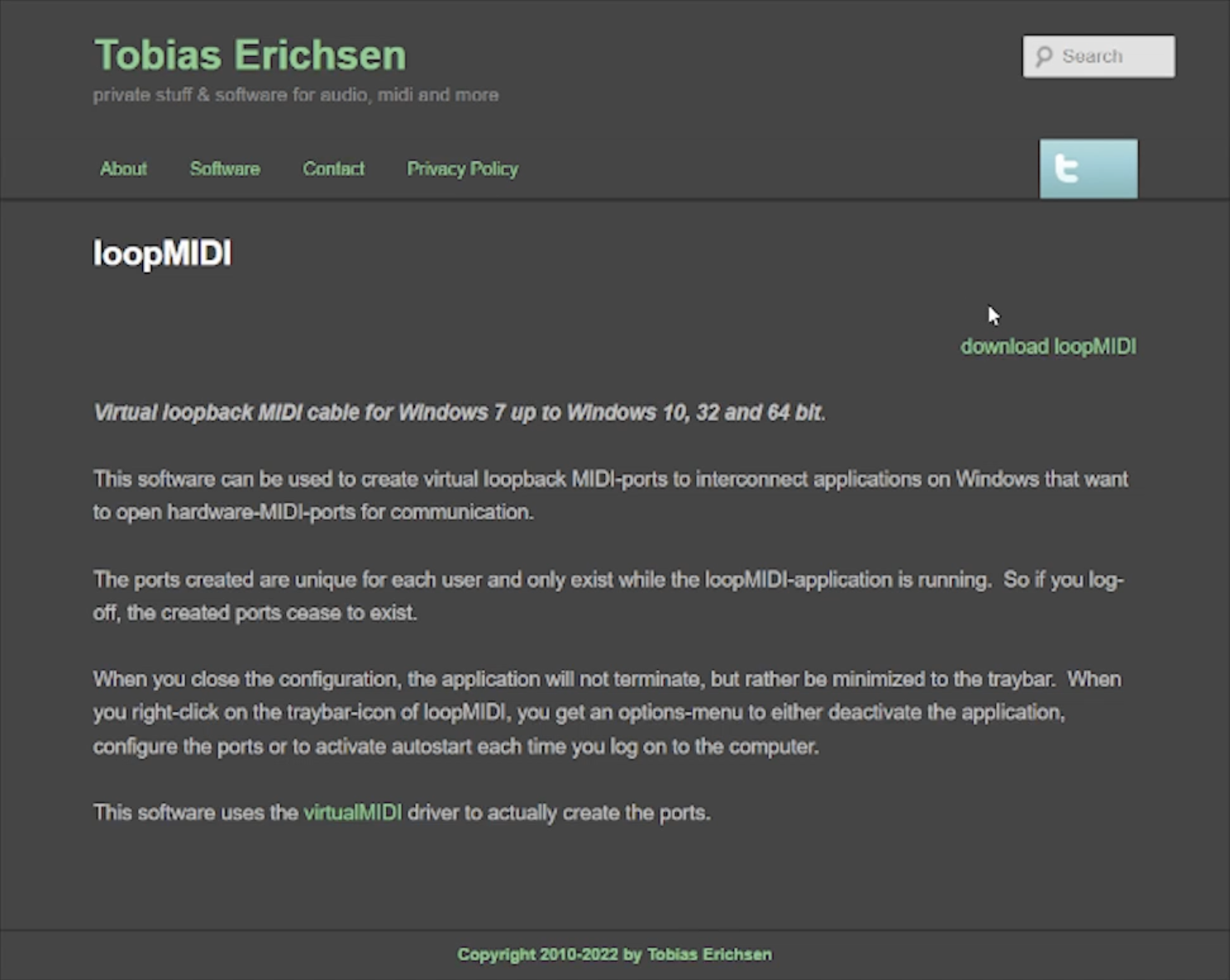
Download and install the loopMIDI app on your computer.
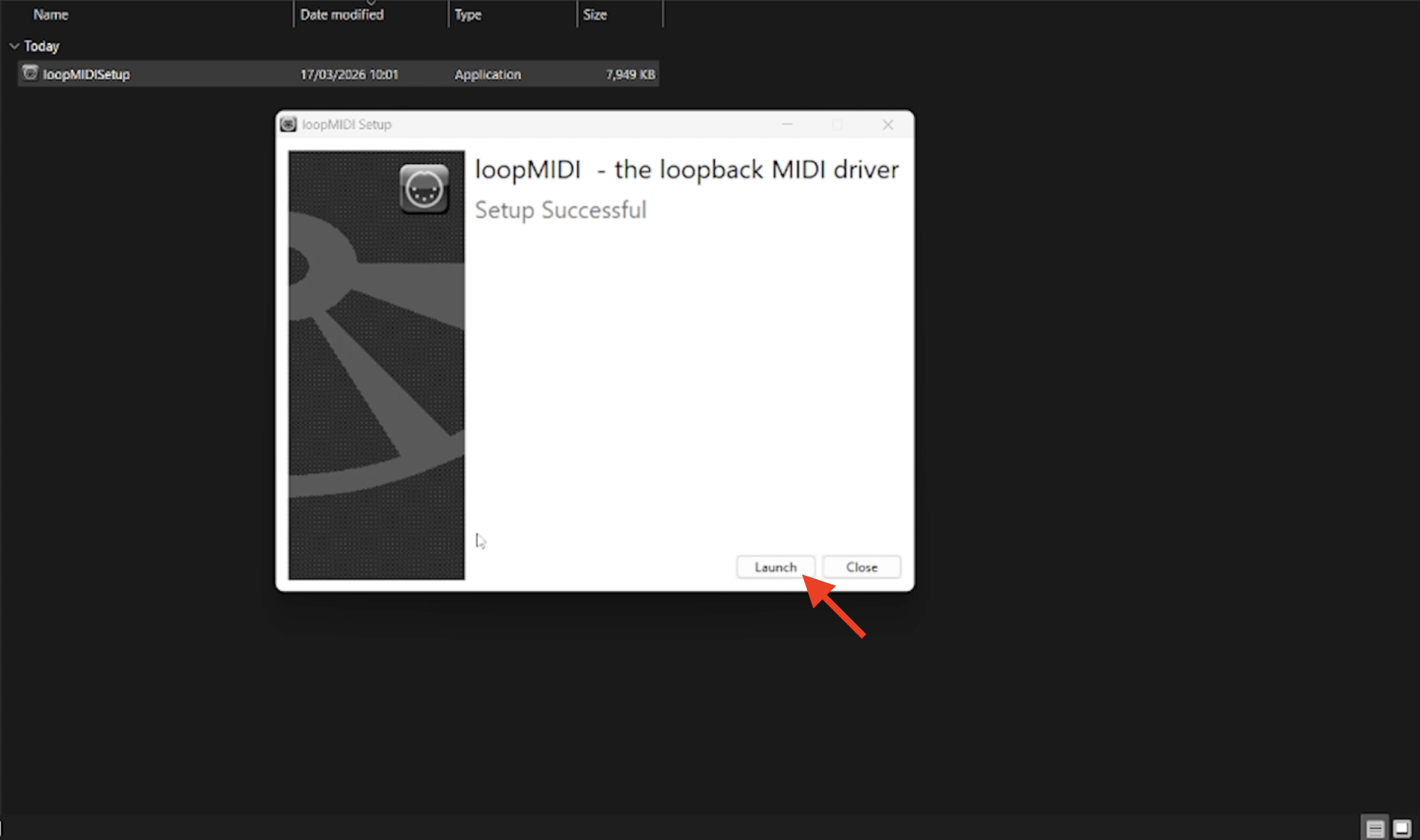
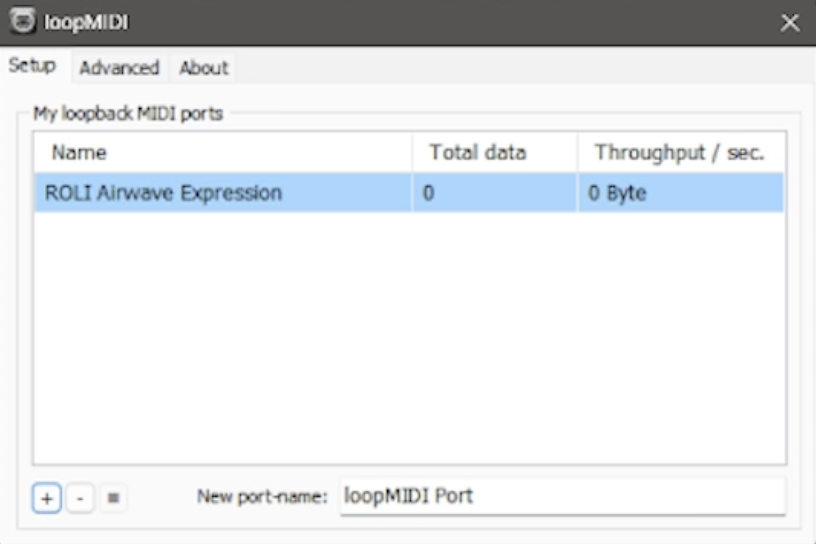
Launch the application and create a new MIDI port named "ROLI Airwave Expression”.
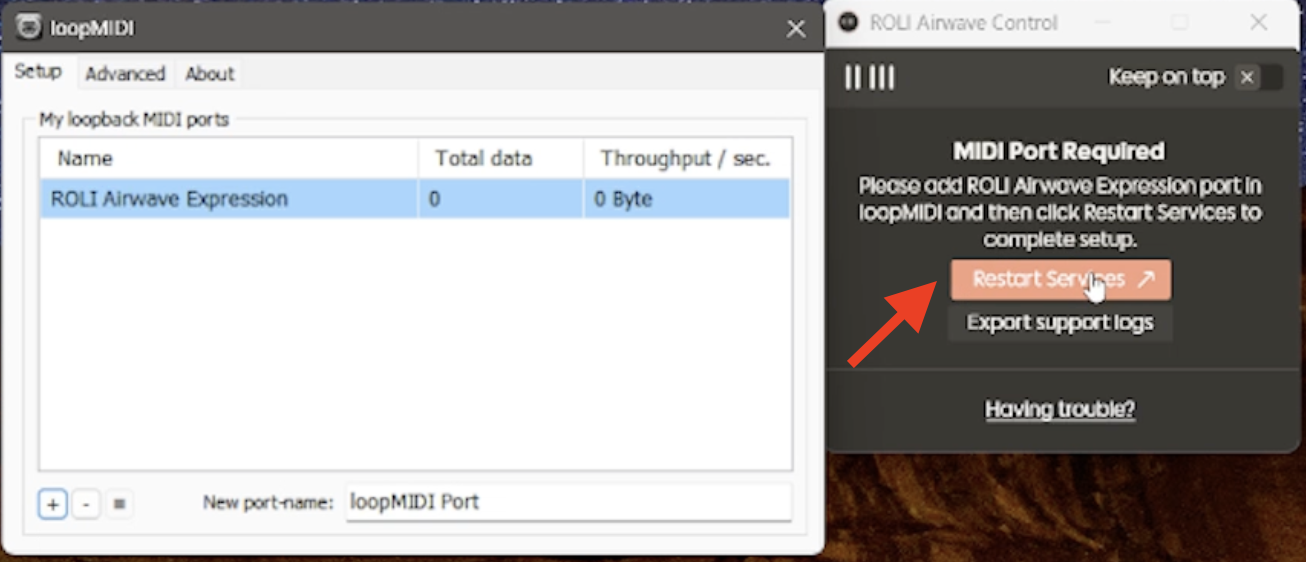
Once the port has been added, click on the Restart Services button in ROLI Airwave Control.
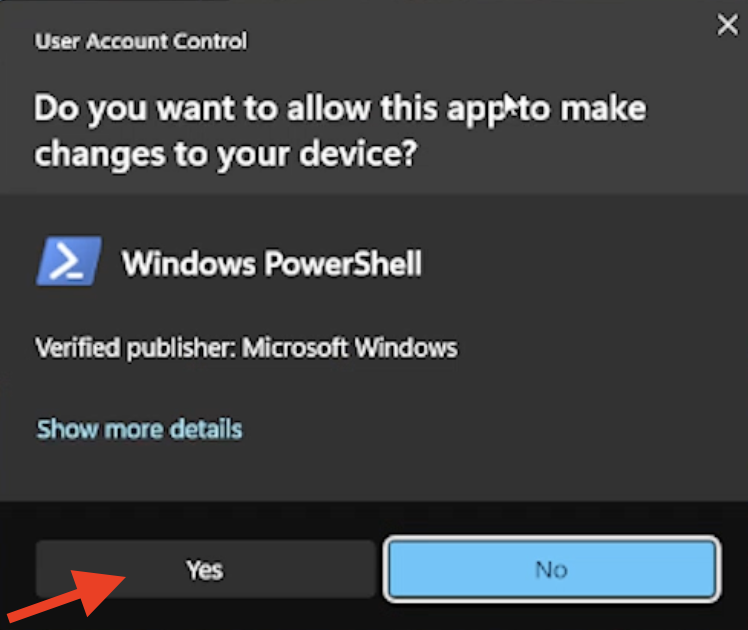
You will be prompted with a User Account Control window. Please select “Yes” to proceed.
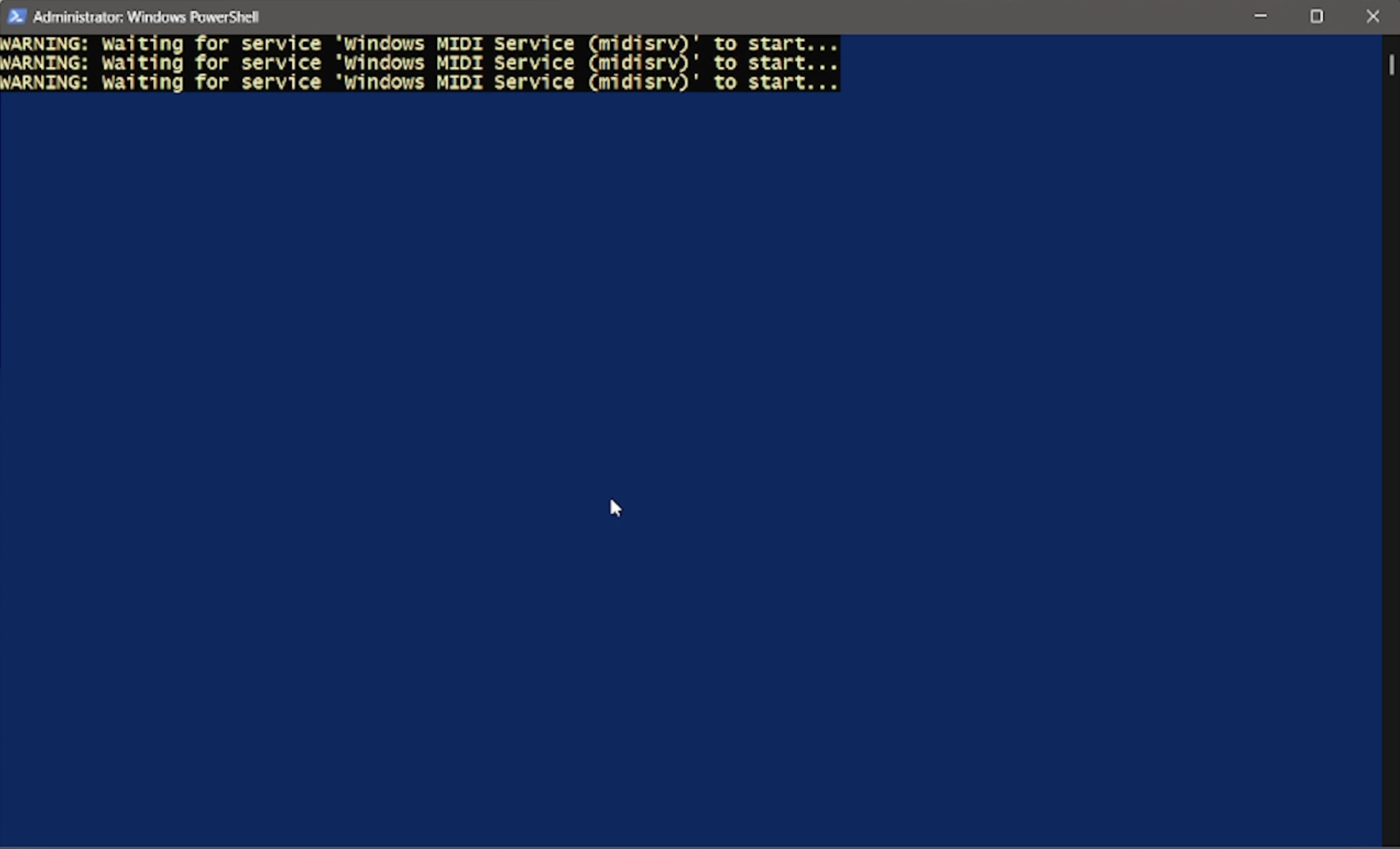
A Windows PowerShell window will briefly appear as the Windows MIDI Service restarts in the background. The window will close automatically once the process is complete.
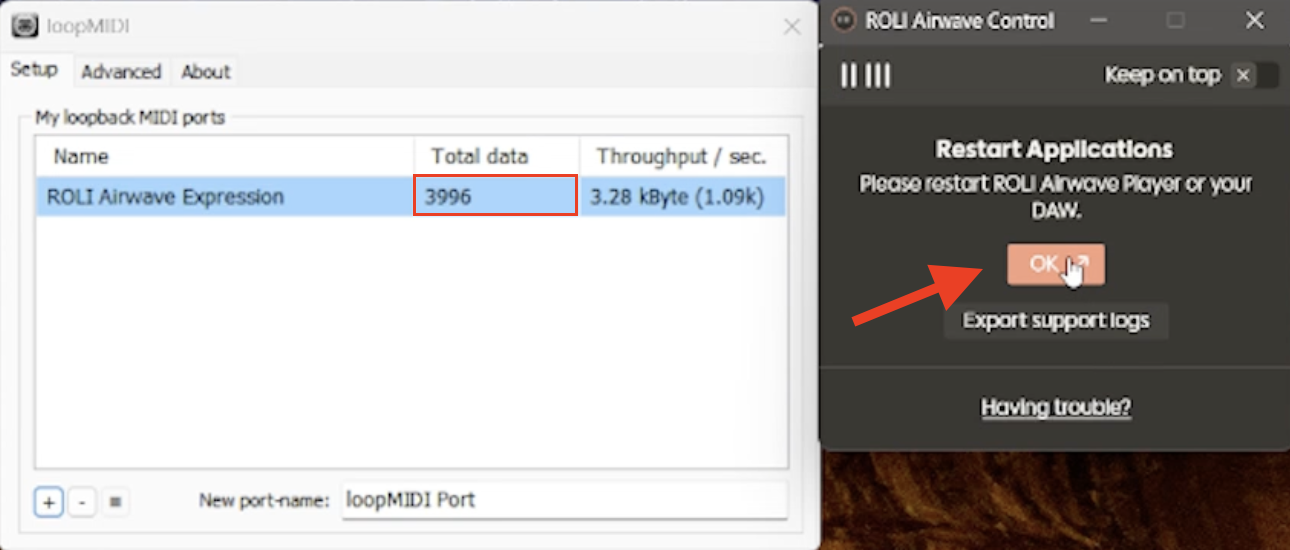
You should now be able to see data flowing through the loopMIDI app, and you will be prompted within ROLI Airwave Control to restart ROLI Airwave Player. Please click “OK” to proceed.
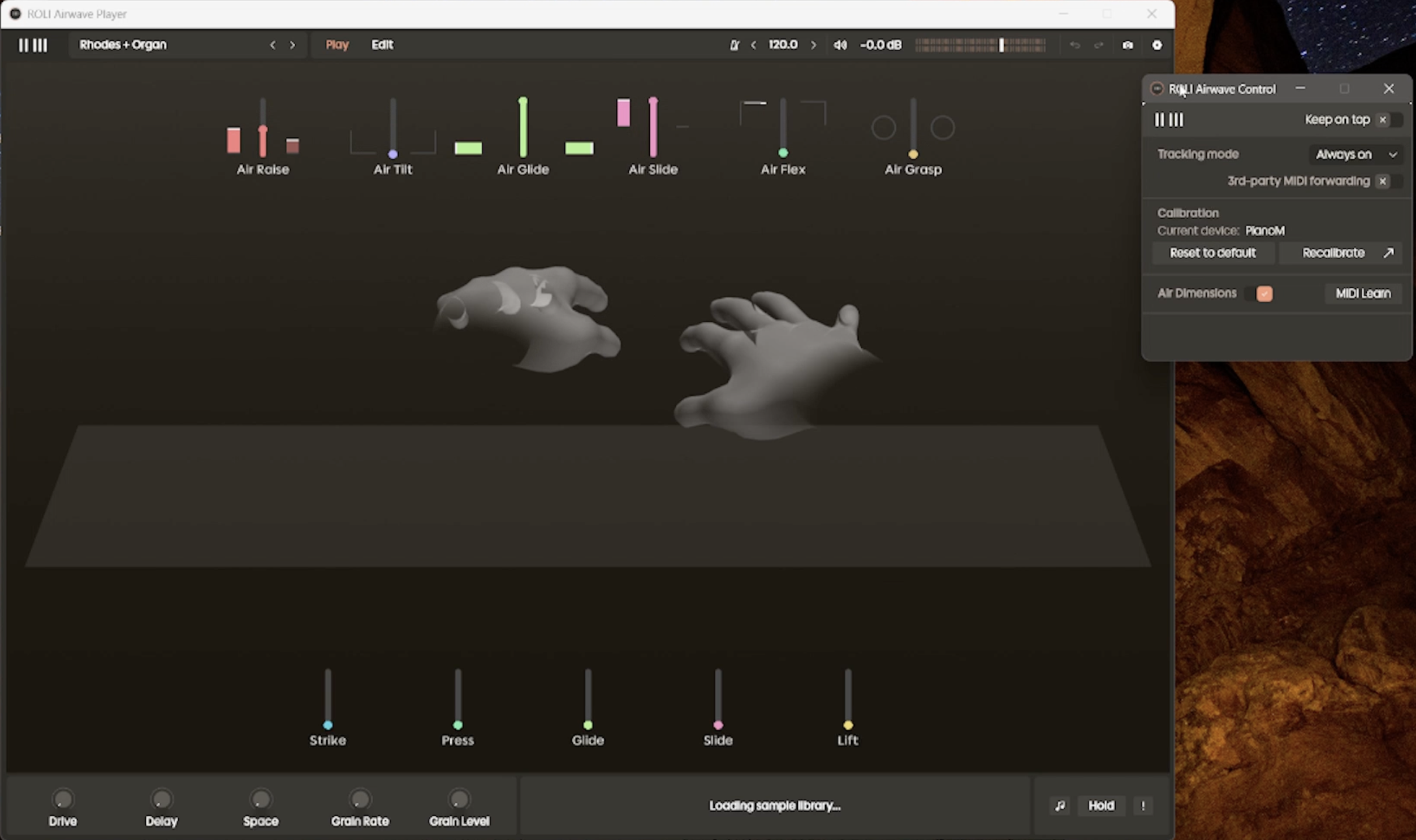
Launch the ROLI Airwave Player app and your hand movements should now be tracked successfully.
References:
General MIDI detection issue: GitHub Issue #783
LoopMIDI issue: GitHub Issue #835
If you need additional assistance, please contact our Support Team.